
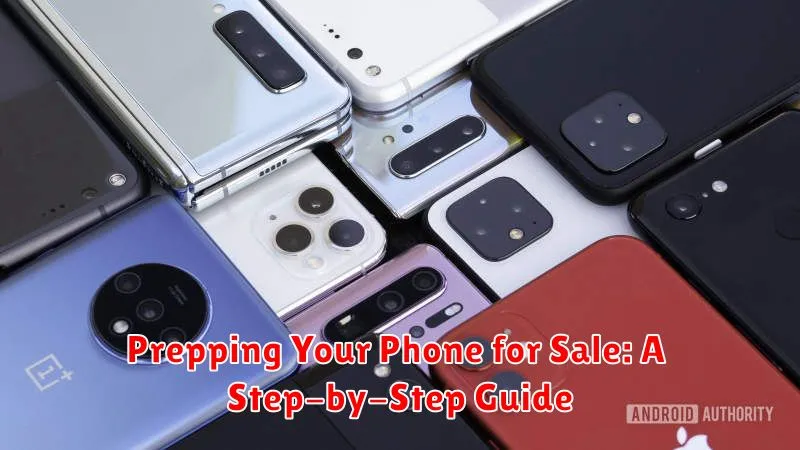
Selling your phone? Getting the best price requires more than just wiping it clean. Prepping your phone for sale is a crucial process that safeguards your personal data and ensures a smooth transaction for both you and the buyer. This step-by-step guide will walk you through everything you need to do to prepare your phone for sale, maximizing its resale value and protecting your privacy. From backing up your precious memories to factory resetting your device, we’ll cover the essential steps for selling your Android or iPhone. Learn how to properly prepare your phone for sale and avoid common pitfalls.
Whether you’re upgrading to the latest model or simply looking to declutter, this guide will provide you with the knowledge and tools to sell your phone with confidence. Follow these steps to prepare your phone for sale like a pro. We’ll address key considerations such as backing up your data, removing your accounts, and ensuring your phone is clean and presentable for the prospective buyer. Properly prepping your phone for sale not only benefits you but also ensures a positive experience for the new owner.
Backing Up Your Precious Data
Before wiping your phone, back up all important data. This includes contacts, photos, videos, documents, and app data. Losing this information can be devastating, so this step is crucial.
There are several ways to back up your data:
- Cloud Services: iCloud for iPhones and Google Drive for Android devices offer convenient cloud backup solutions. Ensure your phone is connected to Wi-Fi and has sufficient storage space in your cloud account.
- Computer Backup: Connect your phone to your computer and use iTunes (for iPhones) or File Explorer (for Android) to create a full backup. This method is generally faster than cloud backups for large amounts of data.
- Manufacturer Specific Apps: Some manufacturers offer their own backup solutions. Refer to your phone’s documentation for specific instructions.
Choose the method that best suits your needs and ensure the backup is complete before proceeding to the next step.
Wiping Your Phone Clean: Factory Reset
A factory reset is the most crucial step in preparing your phone for sale. This process erases all your personal data, returning the device to its original state as if it were brand new. It’s essential for protecting your privacy and ensuring the new owner starts with a clean slate.
The process varies slightly depending on your phone’s operating system (OS).
Android
Generally, you’ll find the factory reset option within the “System” or “Backup and reset” settings. Look for terms like “Factory data reset” or “Reset phone.” Be absolutely certain you’ve backed up everything important before proceeding, as this action is irreversible.
iOS (iPhone)
On iPhones, navigate to “Settings,” then “General,” followed by “Transfer or Reset iPhone,” and finally “Erase All Content and Settings.” Again, ensure you have a recent backup before initiating the reset.
After the reset, your phone will restart and guide you through the initial setup process, just like when you first purchased it. Do not proceed with this setup. Leave the phone in its factory default state for the new owner.
Removing Your Accounts: Google, Apple ID, and More
Before handing your phone over to its new owner, it’s crucial to remove your personal accounts. This protects your privacy and prevents the new owner from accessing your data.
For Android devices, the primary account to remove is your Google account. This is typically done within the “Settings” app, under “Accounts.” Look for your Google account and select the “Remove account” option.
If you have an iPhone, you’ll need to sign out of your Apple ID. Go to “Settings,” tap your name at the top, and scroll down to “Sign Out.” This will disassociate your Apple ID from the device.
Beyond Google and Apple accounts, remember to sign out of any other accounts you may have added to your phone, such as social media accounts, email accounts, or cloud storage services. Check individual apps for sign-out options within their settings.
Ensuring a Smooth Handover: Double-Checking Everything
Before you hand over your phone to its new owner, a final check is crucial. This ensures a smooth transaction and avoids any potential issues down the line.
Confirm the factory reset is complete. Power on the device. You should see the initial setup screen, indicating a successful reset. If not, repeat the factory reset process.
Inspect the phone for any physical damage. While you likely did this earlier, a final check ensures you haven’t missed anything. Disclose any remaining imperfections to the buyer to maintain transparency.
Prepare the accessories. Gather the original charger, box (if available), and any other included accessories. Having these ready streamlines the handover process.
Have your payment method ready. Whether you’re using a platform’s built-in payment system, or meeting in person, ensure you’re prepared to receive payment securely.
If meeting in person, choose a safe, public location. This protects both you and the buyer. Inform someone of your meeting plans as an added precaution.
Boosting Your Phone’s Appeal: A Quick Cleanup

While a factory reset handles the internal data, a physical cleaning enhances your phone’s exterior, making it more attractive to potential buyers. This simple step can significantly impact a buyer’s first impression.
Start by powering off your phone completely. Use a soft, slightly damp (not wet!) microfiber cloth to gently wipe down the entire device. Pay particular attention to the screen, removing any fingerprints or smudges.
For stubborn dirt or grime, consider using specialized electronics cleaning wipes. Avoid using household cleaners, as these can damage the screen or finish. Ensure all ports are free of dust and debris. A clean phone looks well-cared for and suggests gentle usage, making it a more desirable purchase.
Finally, inspect your phone for any remaining stickers or residue. Carefully peel these off to present a pristine device ready for its new owner.
Understanding Your Phone’s Value: Research and Pricing

Before listing your phone, research its current market value. This crucial step ensures you price it competitively and attract potential buyers. Several factors influence your phone’s worth.
Phone Model: Newer models generally command higher prices. Older models, while still valuable, will typically sell for less.
Storage Capacity: Phones with larger storage capacities (e.g., 128GB, 256GB) are generally more desirable and therefore more valuable than those with smaller capacities.
Condition: A phone in pristine condition will fetch a higher price. Be honest about any scratches, dents, or other imperfections. This transparency builds trust with potential buyers.
Functionality: Ensure all features work correctly. A phone with a faulty camera or battery will significantly decrease its value.
Use online marketplaces and trade-in websites to gauge the going rate for similar phones. Consider the condition and specifications of your phone to arrive at a fair and reasonable asking price.
Pricing Strategy: You can start with a slightly higher price to allow room for negotiation. Be prepared to adjust your price based on market demand and buyer interest.
